


 English
 русский
 Español
 عربى
عربى 中文简体
中文简体
News
Home / News / Industry news / Fibre Optic Cable vs Copper Wire: Bandwidth, Cost and Distance Compared

Content
A network designer comparing a bill of materials rarely asks which cable is better. The real question is narrower: for this link, at this distance, with these devices on the far end, which medium costs less to own over ten years. The answer flips depending on where the run sits.
Take two live examples. A 10 Gbps link between racks 60 m apart: Cat6A copper does the job with passive cable and no optics at all. The same 10 Gbps requirement between two buildings 3 km apart: copper cannot reach it at any sensible price without adding active repeaters, while one single-mode fibre pair carries it with nothing in between. Neither outcome is surprising once the physics is on the table.
Single-mode fibre carries 10 Gbps roughly 40 km without regeneration. Cat6A copper carries the same 10 Gbps roughly 100 m. Between those two figures, most real decisions are already made.
The limits come from different physics. Copper attenuation and crosstalk climb steeply with frequency, so every doubling of throughput shortens the usable run; 10GBASE-T over Cat6A at 100 m already sits close to the edge of the standard. Single-mode glass at 1310 nm and 1550 nm loses about 0.35 dB per kilometre, which is why a fibre plant installed for 10G today will take 100G or 400G per wavelength later with only the transceivers swapped.
Capacity per cable matters as much as capacity per pair when tray and conduit space is tight. A single 12-fibre outdoor cable weighs roughly what one Cat6A run weighs and replaces a dozen copper runs. Past a few hundred metres, the copper option stops being a cheaper cable and becomes a chain of powered equipment.
For a procurement-focused version of the same trade-offs, this fibre versus copper decision guide walks through cost, distance and upgrade timing from the buyer side.
| Attribute | Fibre optic, single-mode | Copper, Cat6A |
| Signal carrier | Modulated light at 1310 or 1550 nm | Electrical voltage |
| Typical 10G reach | 40 km | 100 m |
| Capacity per cable | 12 to 288 fibres, each a full channel | One link per four-pair cable |
| Electromagnetic immunity | Inherent, dielectric construction | Requires shielding and bonding |
| Power delivery | None, unless a hybrid cable is specified | Up to 90 W with IEEE 802.3bt |
| Weight per channel | Low | High |
| Field termination | Fusion splicing or factory connectors | Re-terminable in minutes |
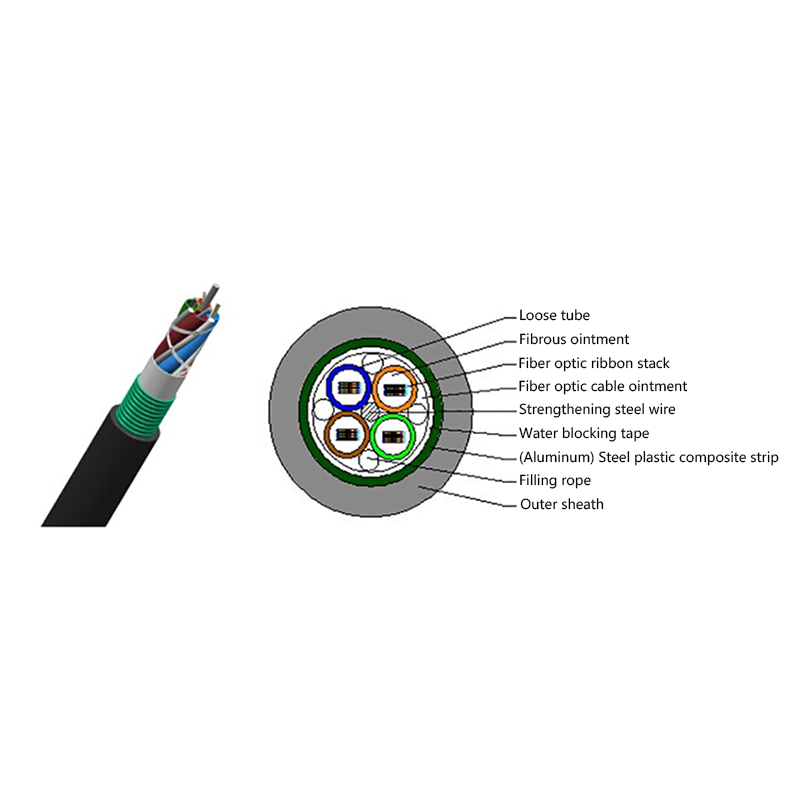
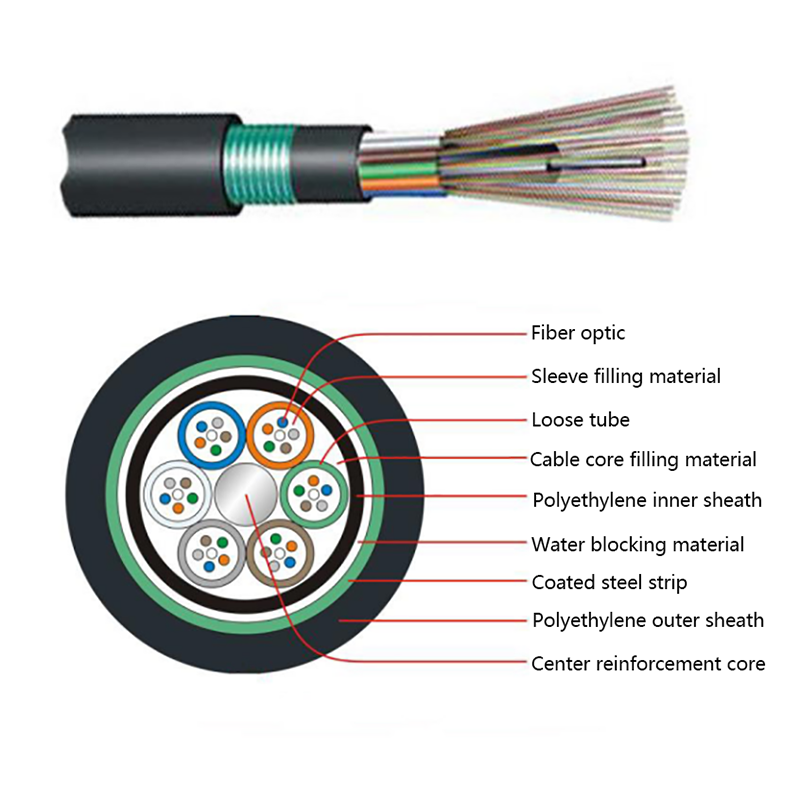
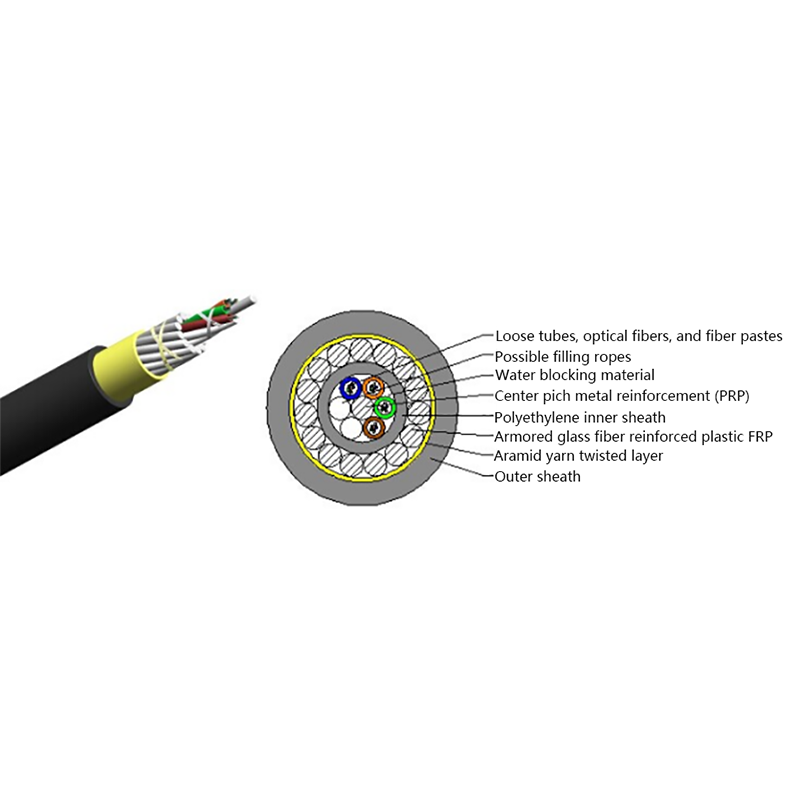
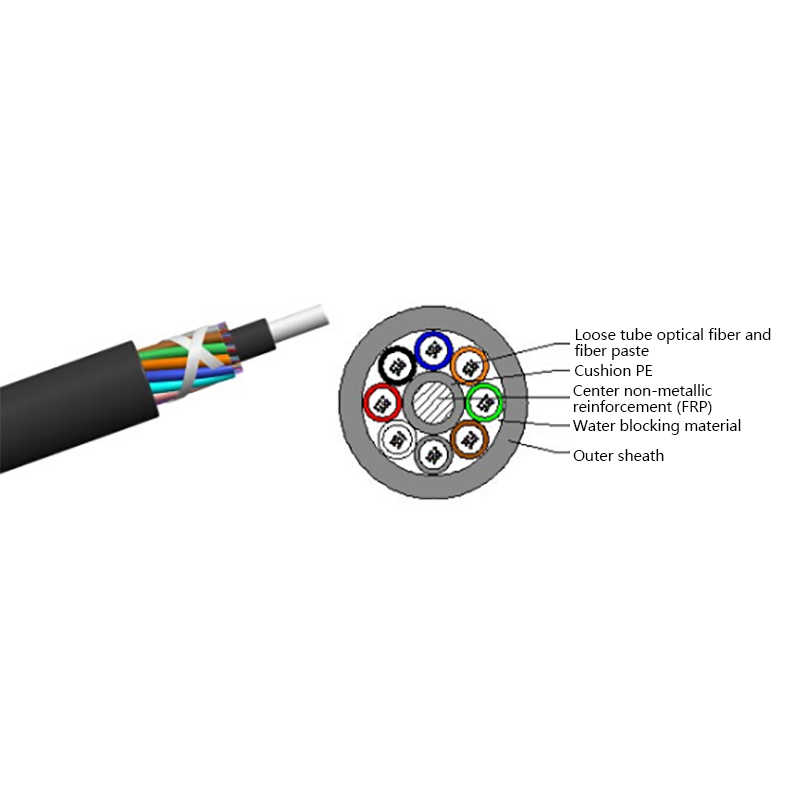
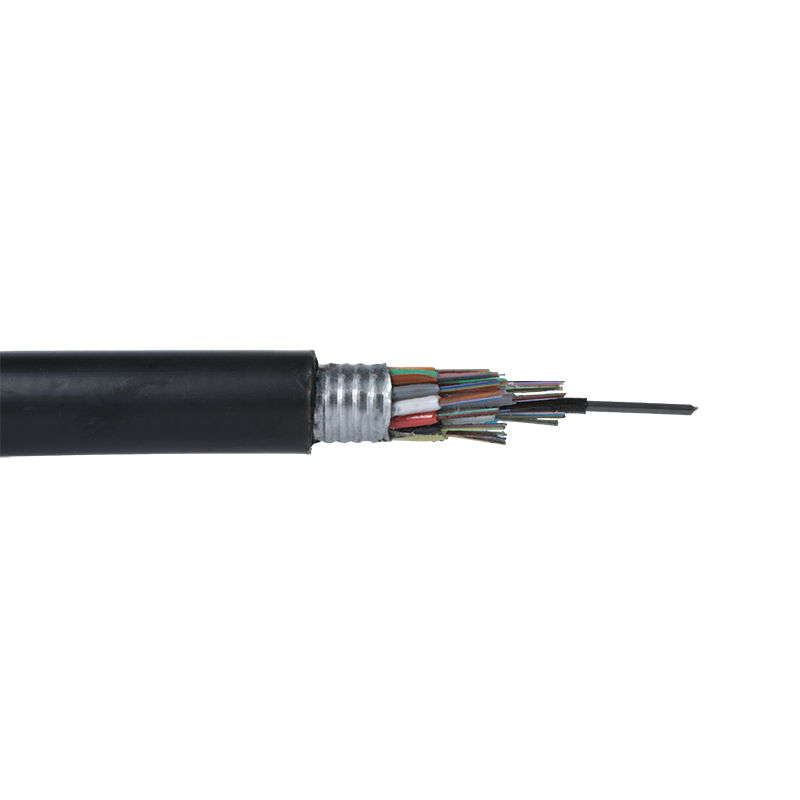 GYTS Outdoor Stranded Steel-Polyethylene Sheath Fiber Optic CableMoisture-resistant outdoor fiber cable with bonded steel-polyethylene sheath, filled core and flexible construction, relevant when comparing fibre and copper runs by distance and upgrade timing.View Product →
Copper is cheaper for short links. Fibre is cheaper per gigabit once a run passes roughly 100 m. Quoting either one per metre hides the number that actually matters.
Per metre, Cat6A and loose-tube single-mode cable are closer in price than most buyers expect. The difference sits at the ends. Copper terminates with a jack and a patch cord. Fibre needs fusion splicing, splice closures, pigtails and a transceiver at each end, and a single-mode module can cost more than the 100 m of cable it plugs into.
Labour shifts the balance again. Pulling 24 Cat6A cables through a riser takes longer and fills more tray than one 24-fibre cable, and every copper run needs its own termination and certification test. On dense builds the installation saving frequently offsets the optics bill. On a two-cable link it almost never does.
Fibre is dielectric: it carries no current, radiates nothing and picks up nothing. Copper can deliver up to 90 W to a device over the same pair it uses for data.
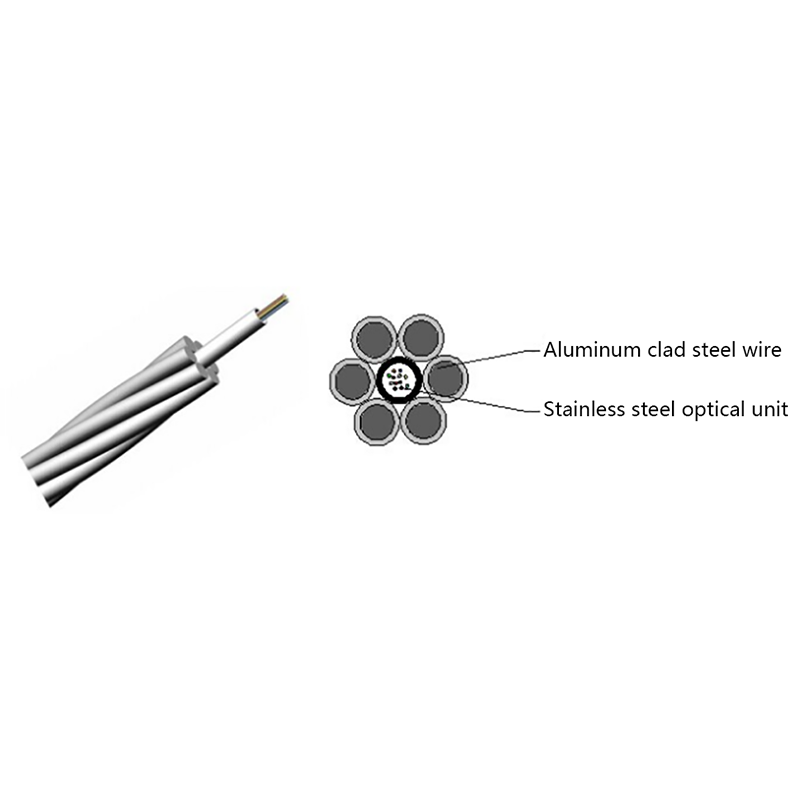
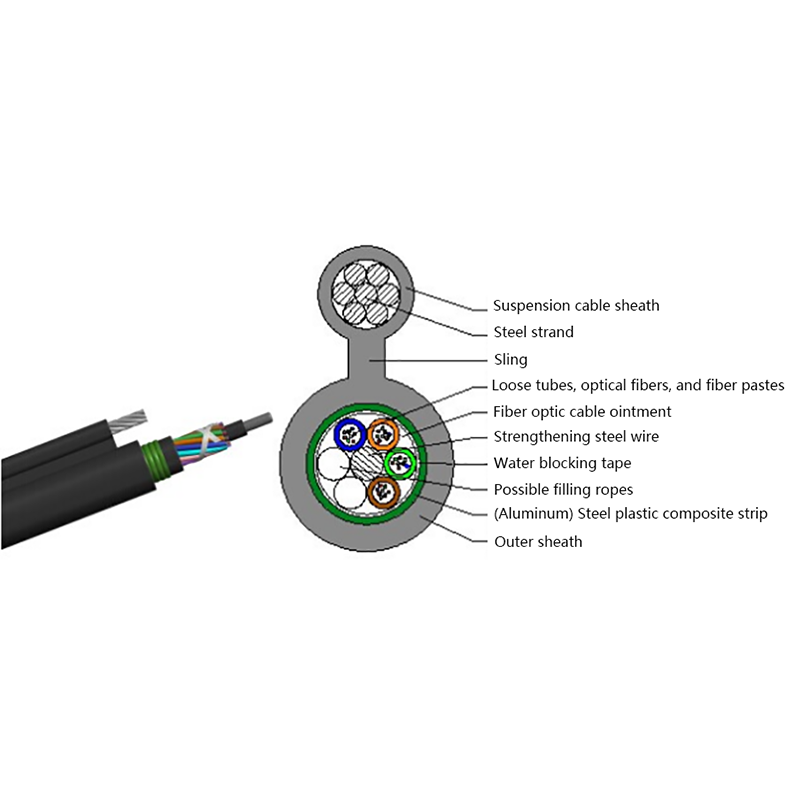
Both facts are useful. In a substation, tunnel or rooftop where earth potential rise and lightning are real concerns, an all-dielectric cable removes the grounding question entirely, which is why aerial self-supporting designs are common along power routes. On a warehouse ceiling the opposite argument wins: a 90 W access point or camera needs no local mains supply, and copper is the simpler way to reach it.
Longevity separates them too. Copper oxidises at connectors in humid or coastal sites, and a corroded pair raises resistance, heats under load and eventually fails a certification test. Glass does not corrode, though fibre end faces still demand cleaning before every mating.
Most buildings end up hybrid: fibre on the backbone and riser, then copper or fibre on the final drop to the desk, camera or access point. Designing per segment is normal practice, not a compromise.
The drop segment is also where the cost argument changes shape. Factory-terminated fibre drop cable removes field splicing, and a single-fibre drop is often quicker to install than pulling a new Cat6A run through a finished wall.
 GJYXCH FTTH Single-Fibre Drop Cable with LSZH SheathDrop cable with central fibre, parallel FRP or steel reinforcement and LSZH sheath, suited to FTTH connections where avoiding field splicing can speed installation.View Product →
Run the decision in this order: distance, power, growth, environment, then budget. The first two steps eliminate most wrong answers before price is discussed.
Fibre tolerates distance but not contamination. Copper tolerates contamination but not distance. Crews trained on one medium often damage the other on the first day.
Not in raw delay per metre. Light in glass travels at roughly two-thirds of the speed of light in vacuum, and signals in copper travel at a similar fraction, so per-metre latency is close. Fibre wins on throughput and on how far a signal survives, not on the speed of a single bit over a short run.
Not on its own, because standard fibre is dielectric. Power over Ethernet delivers up to 90 W over copper. Where both are needed, a hybrid or optoelectronic composite cable carries copper conductors alongside the fibres.
It depends on the segment. Copper is usually cheaper for drops under 100 m where PoE is required. Fibre is usually cheaper for the backbone, for any run beyond 100 m, and wherever conduit or tray space is the binding constraint.
The passive part is commonly rated for 25 years or more. Capacity upgrades usually mean replacing transceivers rather than re-cabling, which is the main reason single-mode is specified on backbones even when 1G or 10G is all that is needed today.

Request for a call today

 Login
Custom Optical Cables Manufacturers
Login
Custom Optical Cables Manufacturers