


 English
 русский
 Español
 عربى
عربى 中文简体
中文简体
News
Home / News / Industry news / Ethernet vs Fiber: Key Differences, Costs, and When to Use Each for Your Network

Content
Quote sheets for a factory network upgrade make the decision look simple: Category 6A is priced by the box, while the fiber run on the same page is priced by the meter plus splicing labor. That pricing gap reflects a real difference in where each medium belongs. The short answer to the Ethernet vs fiber question: copper Ethernet remains the most economical choice for links inside 100 meters, especially when power has to reach cameras or access points over the same cable, while fiber takes over the moment a run gets longer, a link needs more than 10G, or the route passes through electrically hostile territory. Everything else in this comparison follows from those three triggers.
Ethernet is not a cable type. It is the IEEE 802.3 protocol family that moves data frames around local networks, and it runs over both copper twisted pair and glass fiber. What most buyers mean by Ethernet vs fiber is really a question about the physical medium: copper versus glass.
Copper Ethernet cable is a balanced twisted-pair construction, usually four pairs in one sheath, terminated with RJ45 plugs and jacks. It carries electrical signals, and its ceiling comes from frequency-dependent attenuation and crosstalk between pairs. Fiber optic cable carries light through a glass core instead. Single-mode designs with a 9-micron core, standardized as ITU-T G.652D, reach tens of kilometers, while multimode designs with a 50-micron core (OM3, OM4, OM5) serve shorter high-speed links inside buildings. For a construction-level side-by-side of the two media, our guide to fiber optic cable vs copper cable covers the differences in detail.
The 100-meter channel limit is the most quoted number in copper cabling, and it is often misread. TIA-568 allows 90 meters of permanent link plus patch cords; beyond that, performance at rated speed is no longer guaranteed. Category 6A carries 10GBASE-T across the full 100 meters, Category 6 manages 10G only to roughly 55 meters before dropping back to 1G, and Category 8 reaches 25-40 Gbps but only within a 30-meter rack-level reach. Bundled cables lose further margin because alien crosstalk between neighbors grows with frequency.
Fiber plays by different rules. OM3 multimode supports 10 Gbps out to 300 meters, OM4 stretches that to about 400 meters and handles 100 Gbps over short reaches, and a single-mode OS2 link carries 10 Gbps over 10 kilometers with a standard LR optic. With attenuation measured in fractions of a decibel per kilometer, distance effectively stops being a constraint once you are on glass.
One myth is worth retiring: fiber is not lower latency per meter. Light in glass and signals in copper both travel at roughly two-thirds the speed of light, so over 90 meters the difference is nanoseconds. Real gaps appear between buildings, where fiber runs directly and copper cannot make the trip at all.
| Medium | Cable Grade | Speed at Rated Distance | Rated Distance | Typical Role |
|---|---|---|---|---|
| Copper | Cat5e | 1 Gbps | 100 m | Desktop and device drops |
| Copper | Cat6 | 1 Gbps (10G to about 55 m) | 100 m | Office LANs, PoE devices |
| Copper | Cat6A | 10 Gbps | 100 m | Wi-Fi backhaul, server access |
| Copper | Cat8 | 25-40 Gbps | 30 m | Top-of-rack data center links |
| Multimode fiber | OM3 / OM4 | 10-100 Gbps | 300-400 m at 10G | Risers, in-building backbones |
| Single-mode fiber | OS2 | 10 Gbps and beyond | 10 km and beyond | Campus links, FTTH, metro |
Comparing price per meter flatters fiber, and that comparison misleads. A meter of OS2 or OM4 glass often costs less than a meter of certified Cat6A. The real difference sits at both ends of the link: every fiber port needs an SFP or SFP+ transceiver, termination calls for fusion splicing or precision mechanical connectors, and acceptance testing needs an OTDR rather than a copper certifier. Copper RJ45 ports, by contrast, are already built into nearly every switch and network interface.
Labor is the other swing factor. An installer can terminate copper in the field in minutes, while fiber splicing requires equipment and skills many teams outsource. One or two short runs favor copper on total installed cost; the same splicing work spread across a building backbone or a multi-building campus flips the economics toward fiber fast.
Two procurement traps cause most field failures. The first is mismatched optics: a multimode transceiver on single-mode glass will not link, and the reverse is just as true. The second is underrating the route, such as placing unarmored indoor cable where moisture, rodents, or fire-code ratings demand more protection. Both are far cheaper to fix on the specification sheet than after installation.
Copper holds one decisive advantage: Power over Ethernet. Under the 802.3af, 802.3at, and 802.3bt standards, the same pairs that carry data deliver roughly 15, 30, or up to 90 watts, which keeps IP cameras, access points, and desk phones alive. Fiber carries no electrical power, so a device on glass needs local power or an optoelectronic composite cable with conductors built in alongside the fibers.
Electrical noise reverses that advantage. Glass is immune to electromagnetic interference, produces no crosstalk, and creates no ground loops between buildings, which makes it the safer choice near substations, variable-frequency drives, or power lines. All-dielectric designs also remove lightning-induction concerns on exposed routes. Security teams favor fiber for a second reason: it does not radiate RF, and intercepting it requires physically breaking the link, while unshielded copper can be read from its emitted signals.
Copper remains the sensible default in these cases:
Fiber becomes the default in four situations: any run beyond the copper channel, backbone links carrying 10G or more between floors or buildings, routes through electrically noisy environments, and any installation expected to outlive several generations of equipment. The glass put in the wall today will handle optics that do not exist yet; only the transceivers at the ends need upgrading.
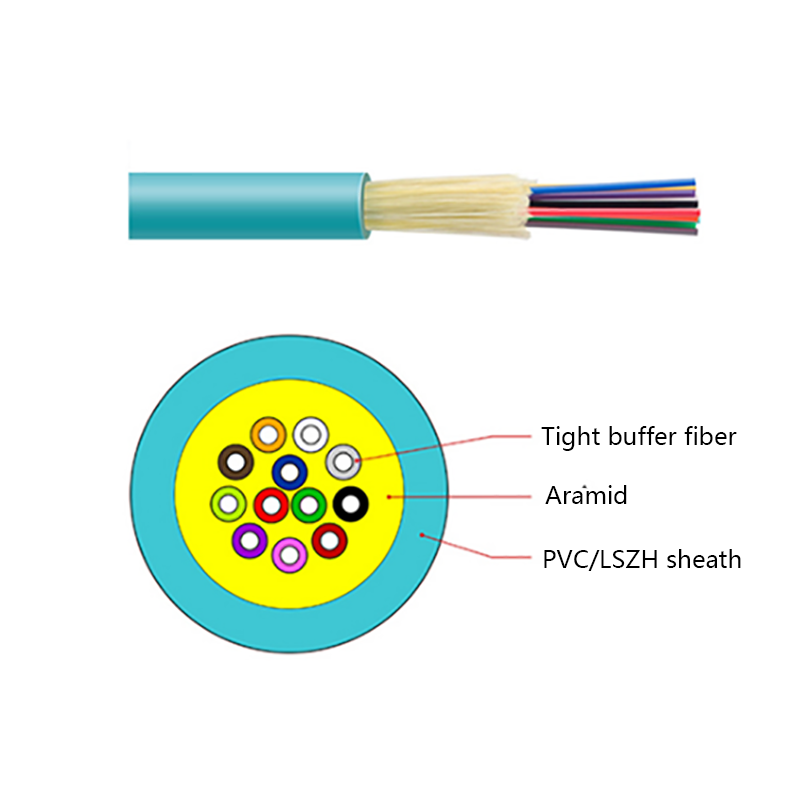
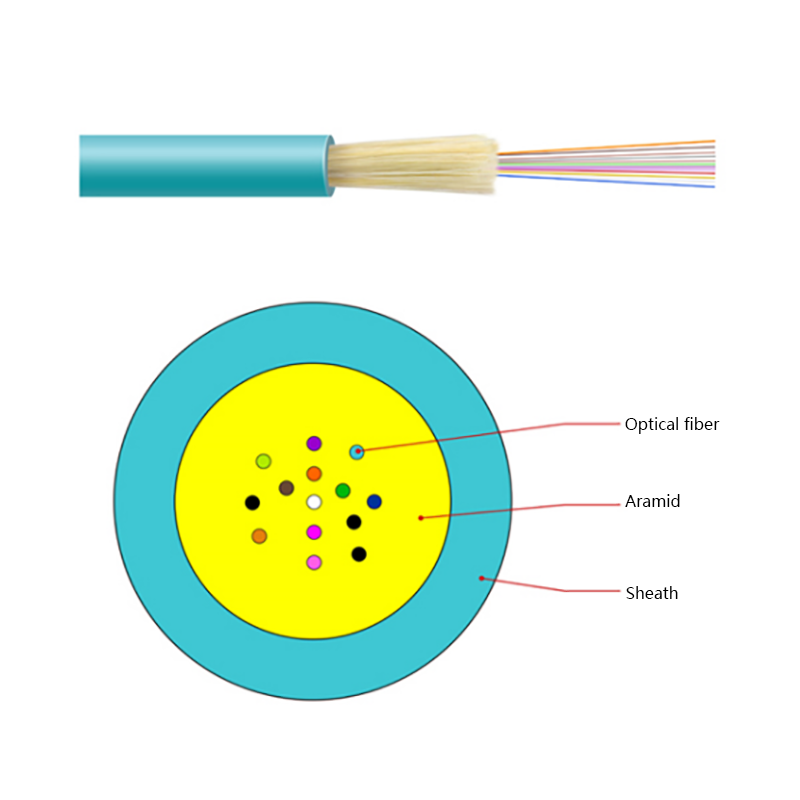
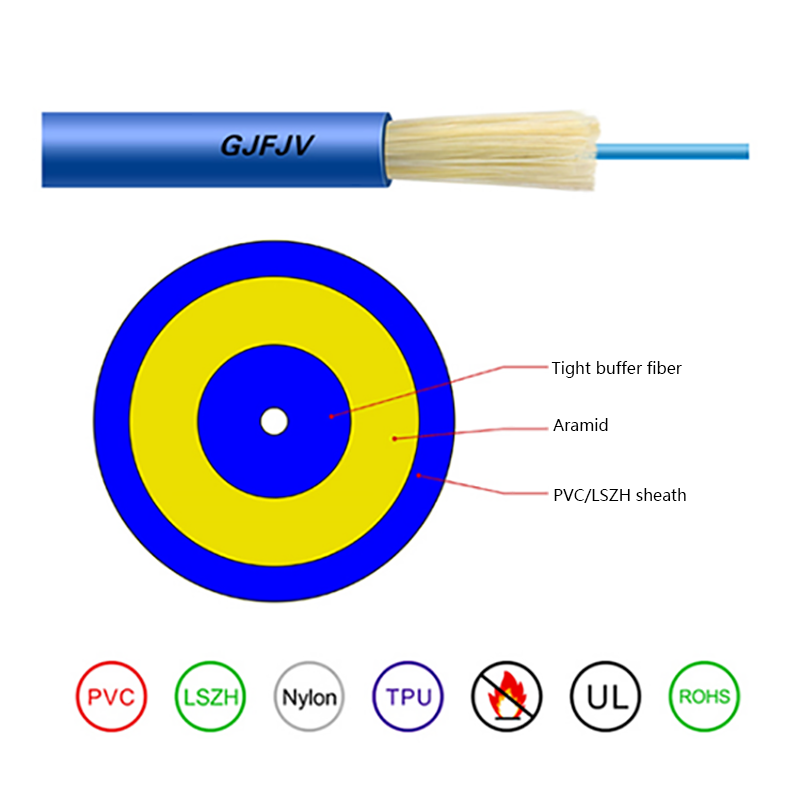
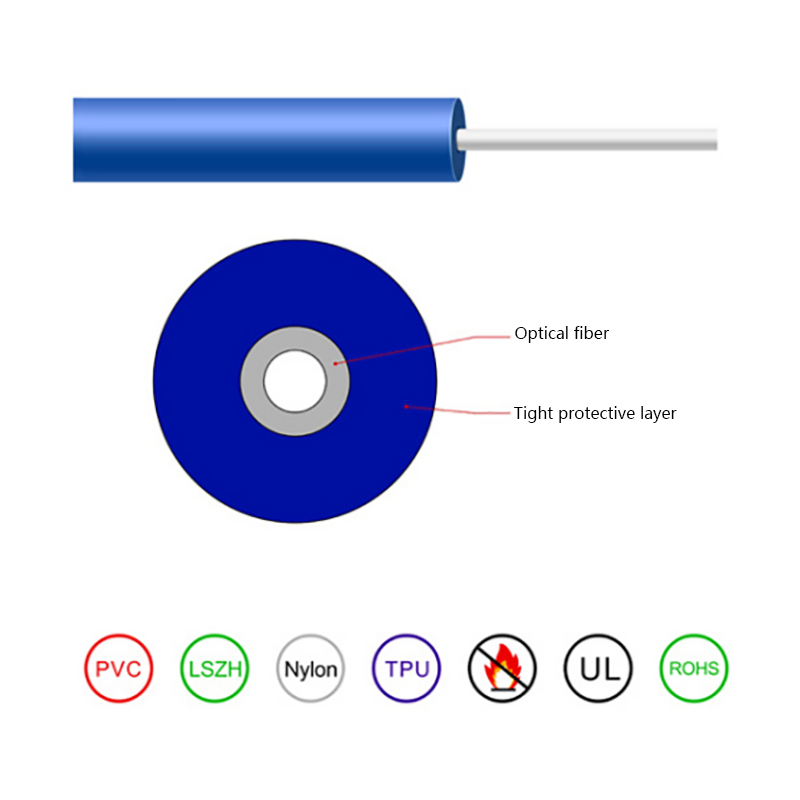
Inside buildings, most horizontal and riser installations start from standard G.652D single-mode fiber or laser-optimized multimode, matched to whatever optics your switches already use.
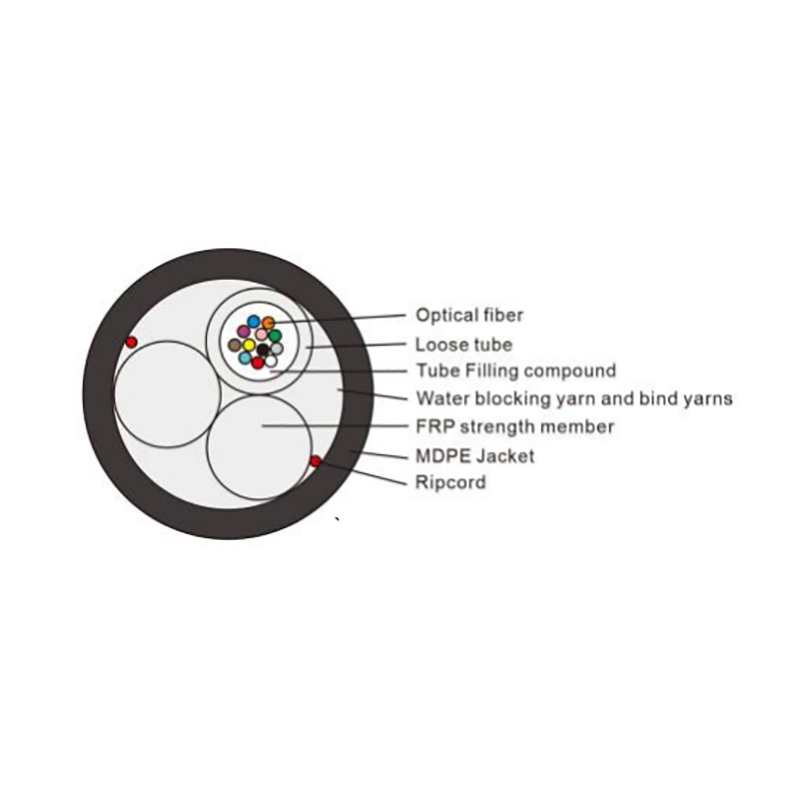 G.652D Single-Mode Optical Fiber for CableStandard G.652D fiber with specified attenuation, cutoff wavelength, and mode field diameter. It suits indoor horizontal and riser runs where fiber forms the backbone between equipment rooms and each floor.View Product →
Walk through almost any enterprise building and you will find the same hybrid pattern: fiber forms the backbone between the main equipment room and each floor, then copper handles the last 100 meters to desks, cameras, and access points. Switches with SFP uplink ports and media converters make the two media interchangeable at the rack.
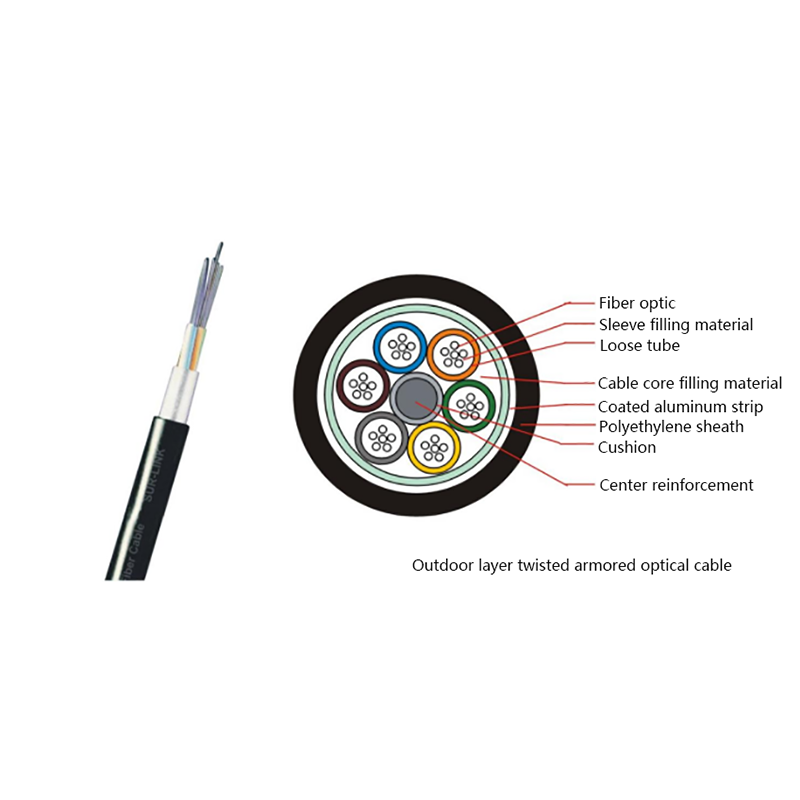
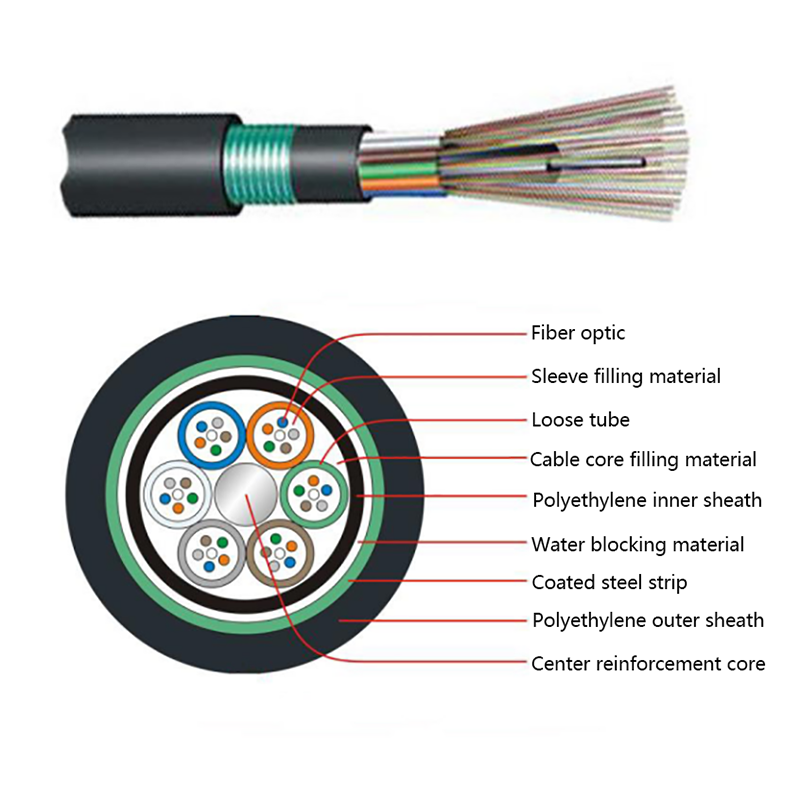
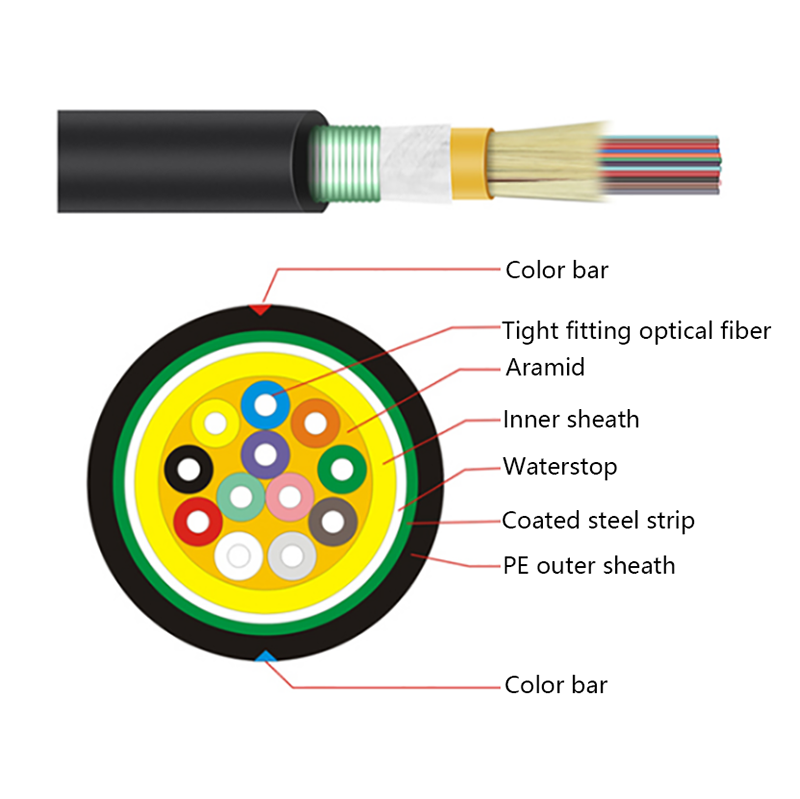
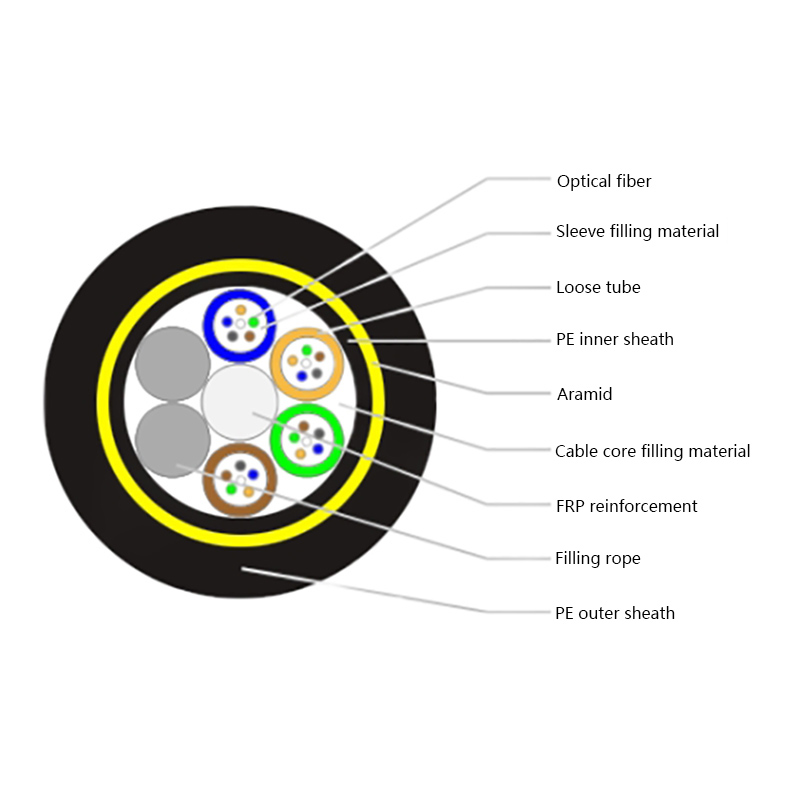
The same logic scales in both directions. A home gets a fiber drop cable to a wall-mounted terminal, then Ethernet and Wi-Fi inside. An industrial campus links buildings hundreds of meters or several kilometers apart with armored outdoor cable built for moisture and mechanical stress.
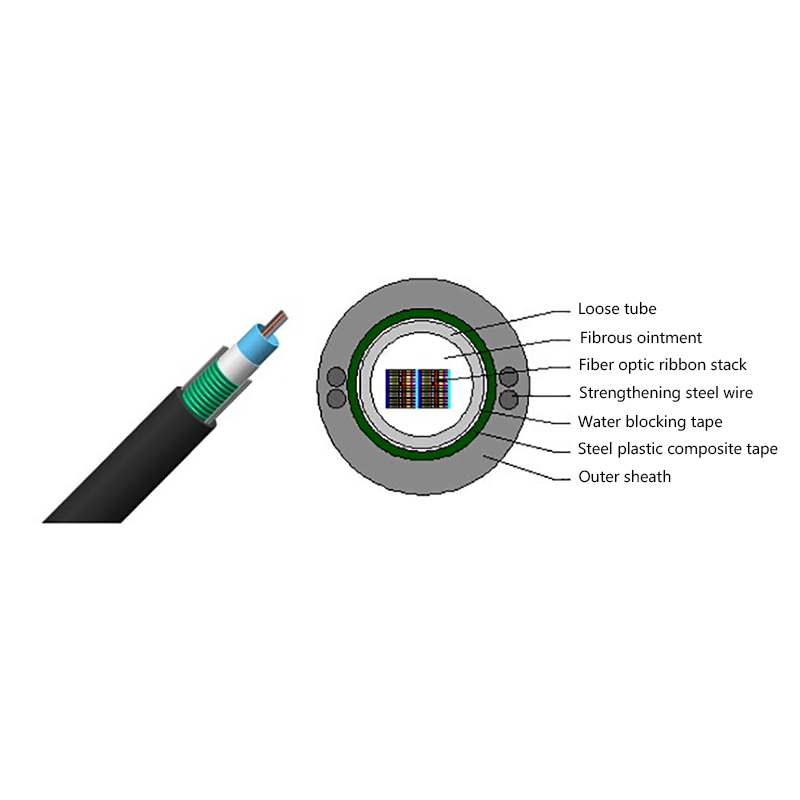
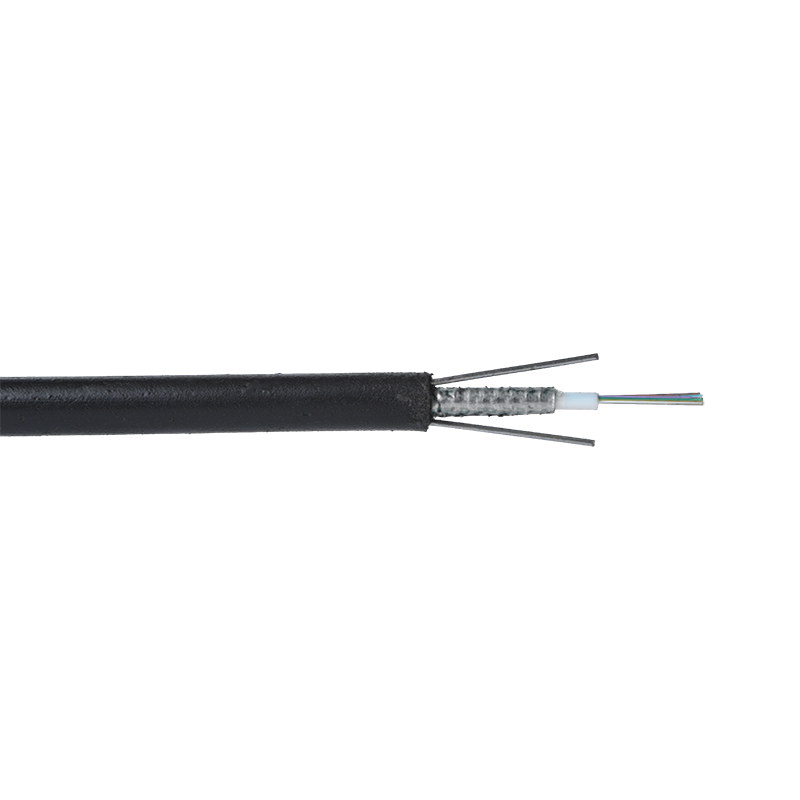 GYXTW Central Tube Armored Outdoor Fiber CableA compact central-tube cable with corrugated steel strip armoring, water blocking, and a polyethylene sheath. Its mechanical strength and waterproofing fit links between buildings or across an industrial campus.View Product →
Whichever medium a run uses, the jumpers and patch cords at each end deserve the same attention as the permanent link, because a marginal cord or a dirty connector can undermine an otherwise compliant channel.
One line item that gets forgotten is the patch cords and jumpers that complete each channel; budget for them as carefully as the permanent link itself.
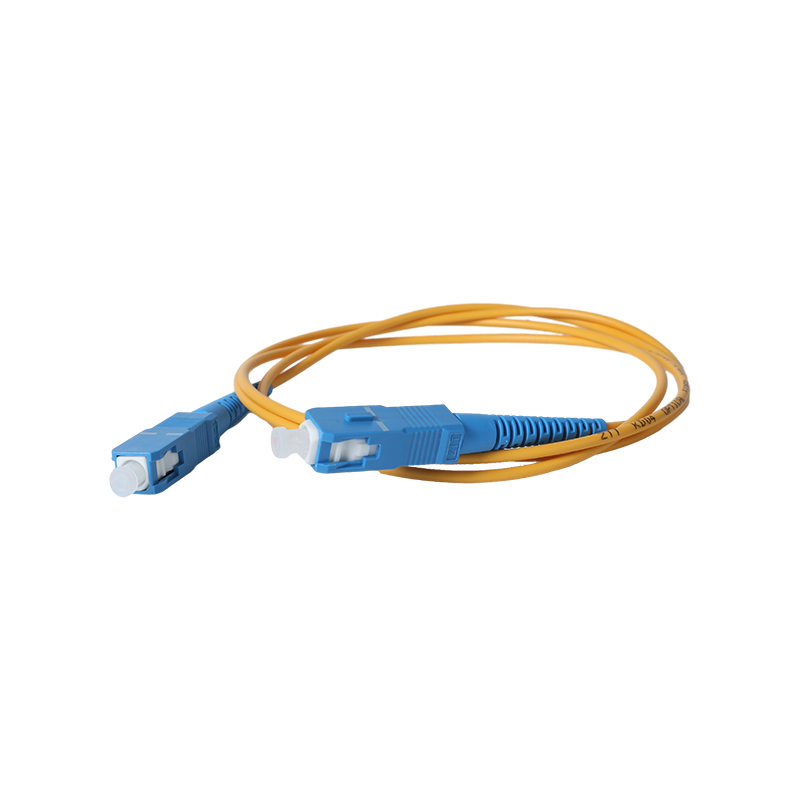 Fiber Optic Patch Cables with FC, SC, ST, and LC ConnectorsPatch cords and jumpers in common connector types for patch panels, switches, and routers. They complete each channel, and a marginal cord or dirty connector can undermine an otherwise compliant link.View Product →
Choose copper Ethernet for the last 100 meters and for every device that draws power over the cable. Choose fiber for distance, for bandwidth above 10G, for noisy environments, and for any link you expect to still be in the wall a decade from now. Most real projects need both, and the expensive mistakes usually come from the wrong cable construction for the environment, not from the wrong medium.
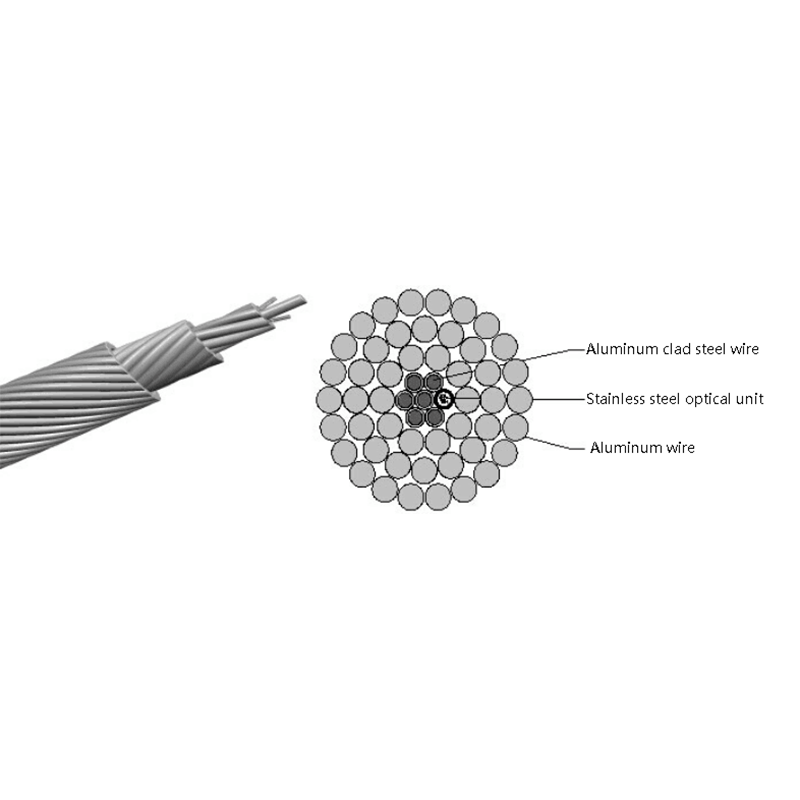
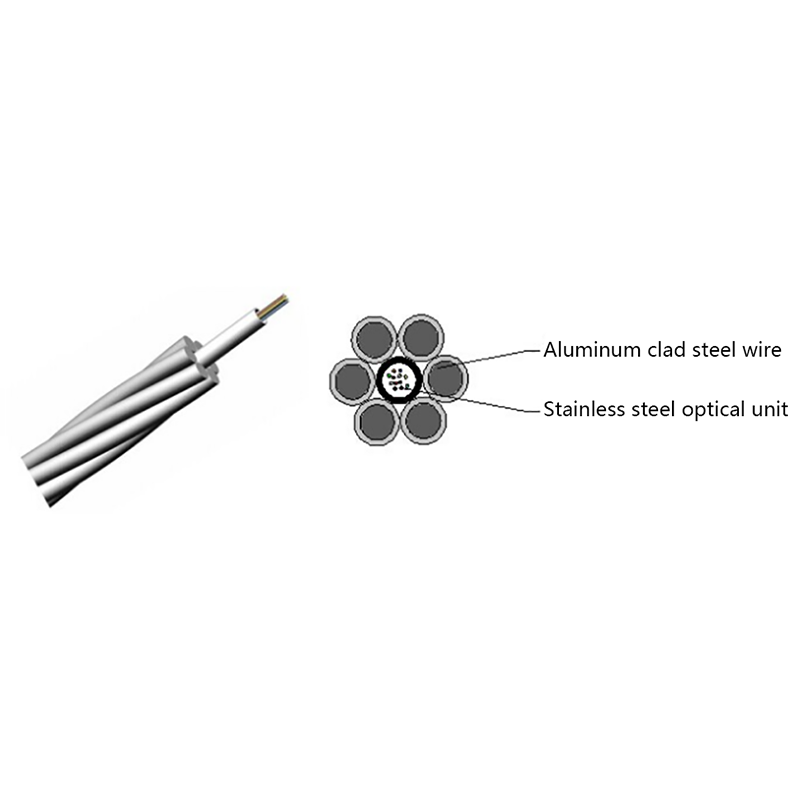
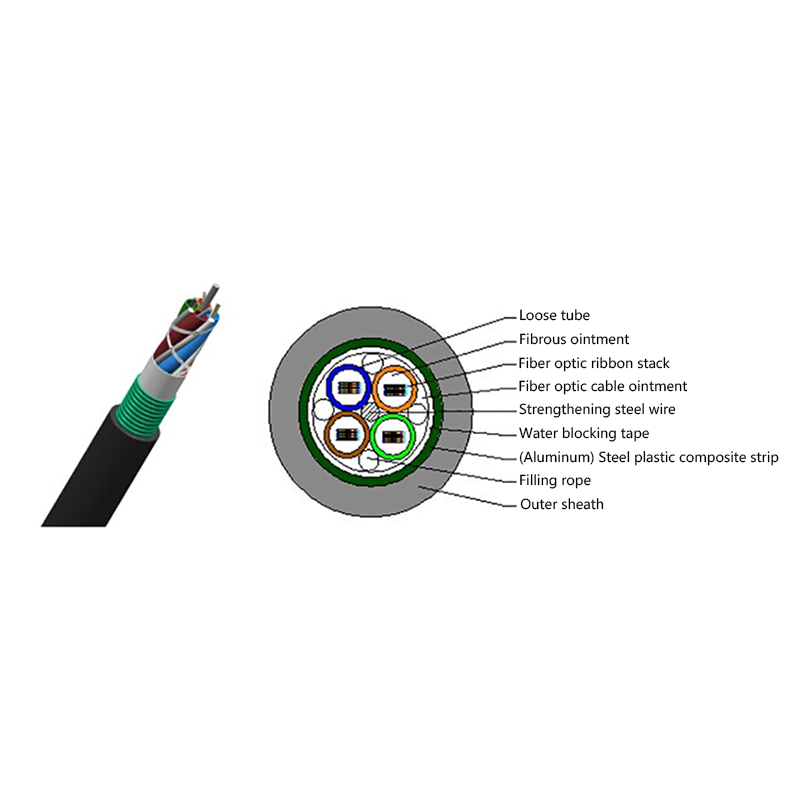
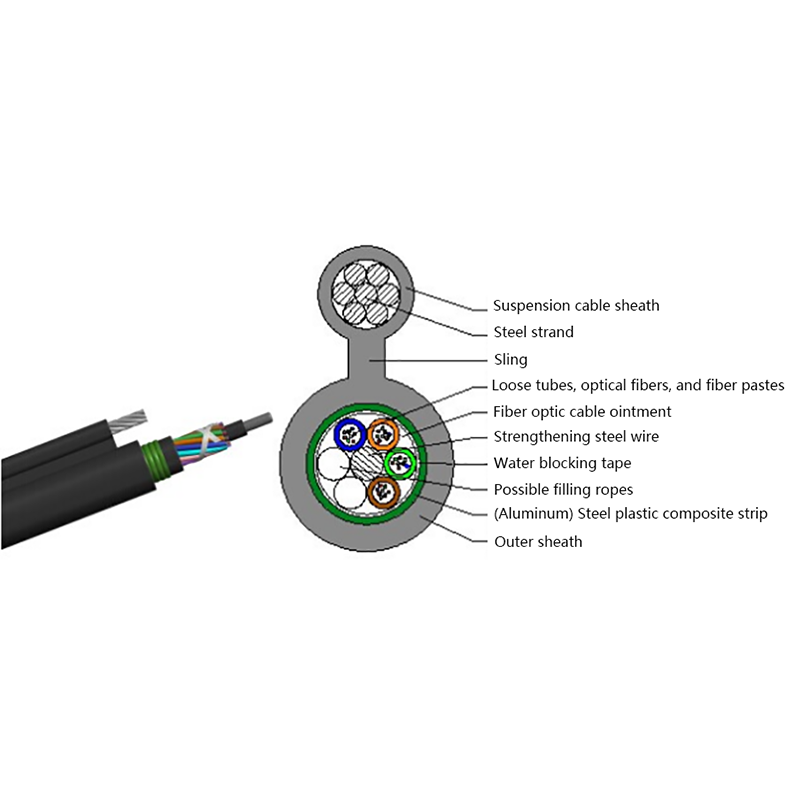
As a fiber optic cable manufacturer producing indoor, outdoor, FTTH, air-blown, and power-line cable types with full customization and high-precision testing, Jiangsu Hawell Optoelectronic Technology works with telecom, power, and industrial buyers to match cable construction to site conditions.



Request for a call today

 Login
Custom Optical Cables Manufacturers
Login
Custom Optical Cables Manufacturers