


 English
 русский
 Español
 عربى
عربى 中文简体
中文简体
News
Home / News / Industry news / Ethernet vs Fiber: Key Differences, Speed, Distance, and Which Cable to Choose

Content
Ask a network engineer whether copper Ethernet or fiber optic cabling is the better choice and you will rarely get a one-word answer. The honest reply is: it depends on distance, bandwidth, environment, and budget. But after years of manufacturing optical cable and supporting network deployments across telecom, power, and industrial sectors, one pattern is clear. Copper Ethernet still makes sense inside a room or across a floor; fiber pays for itself almost everywhere else. This article compares the two technologies on the metrics that actually drive purchasing decisions, so you can choose without overbuilding or under-specifying your network.
Ethernet is a family of networking standards that define how devices communicate over twisted-pair copper cable. The categories you will meet in practice are Cat5e, Cat6, Cat6a, and occasionally Cat7. Cat5e supports 1 Gbps up to 100 meters. Cat6 supports 10 Gbps up to 55 meters in typical installations. Cat6a extends 10 Gbps to the full 100 meters. Beyond that distance, the electrical signal degrades, and you need a switch, a repeater, or a different medium.
Ethernet's main advantages are familiarity and cost. Connectors are inexpensive, termination tools are common, and most IT teams already know how to troubleshoot a copper link. For runs under 55 meters, Cat6 and Cat6a deliver 10 Gbps, which is more than enough for office desktops, IP cameras, and Wi-Fi access points.
Fiber optic cabling transmits data as pulses of light through glass fibers. Instead of electrical signals that weaken with distance, light travels with remarkably low loss. Single-mode fiber (OS2) is designed for long-distance, high-bandwidth links and is the standard in telecom and data center backbones. Multimode fiber (OM3, OM4, OM5) uses a larger core and lower-cost transceivers for shorter runs, often inside buildings or across campuses.
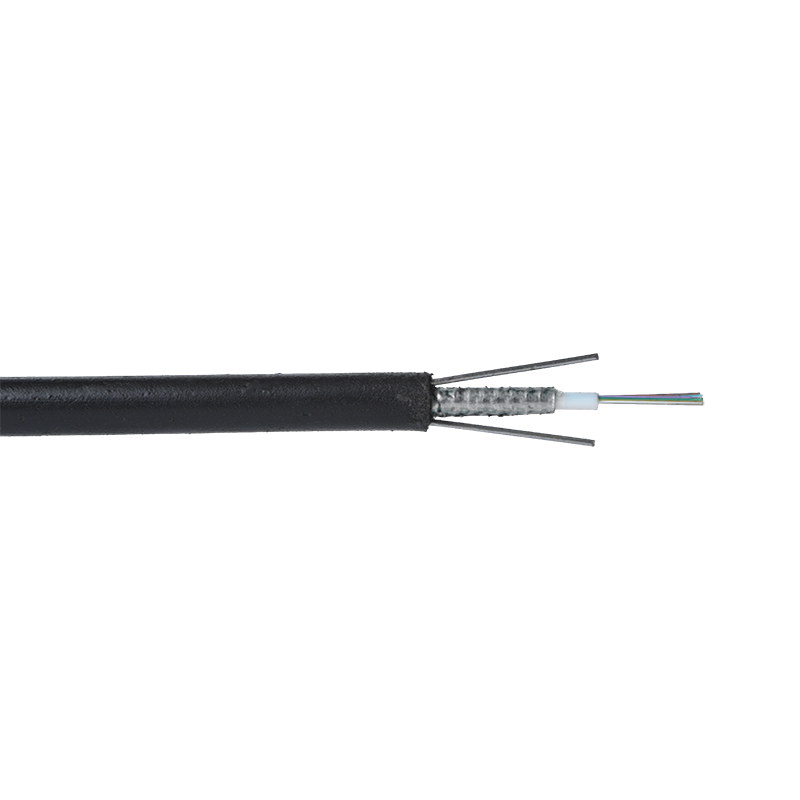
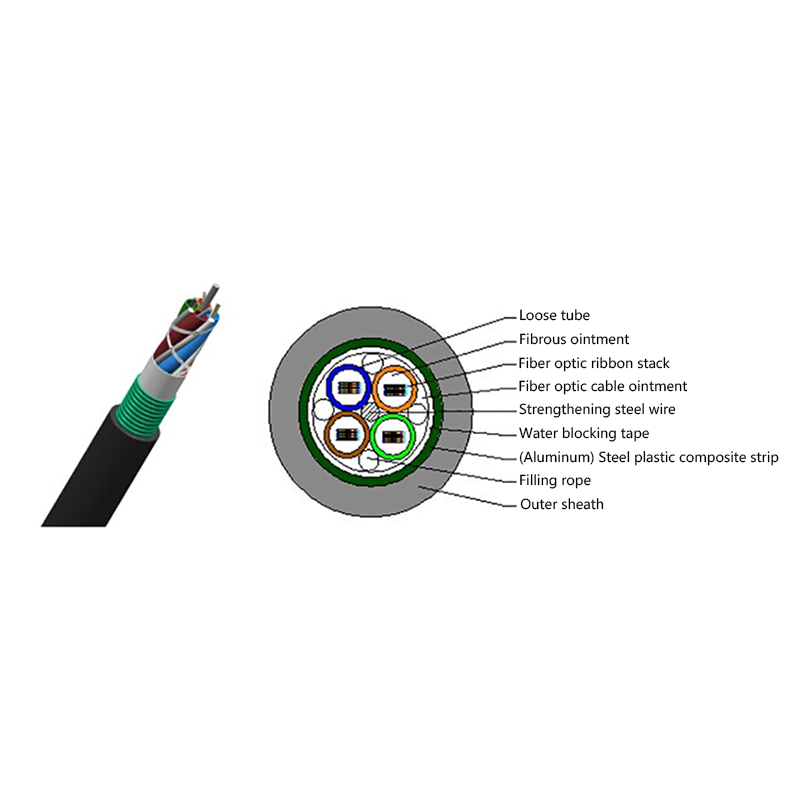
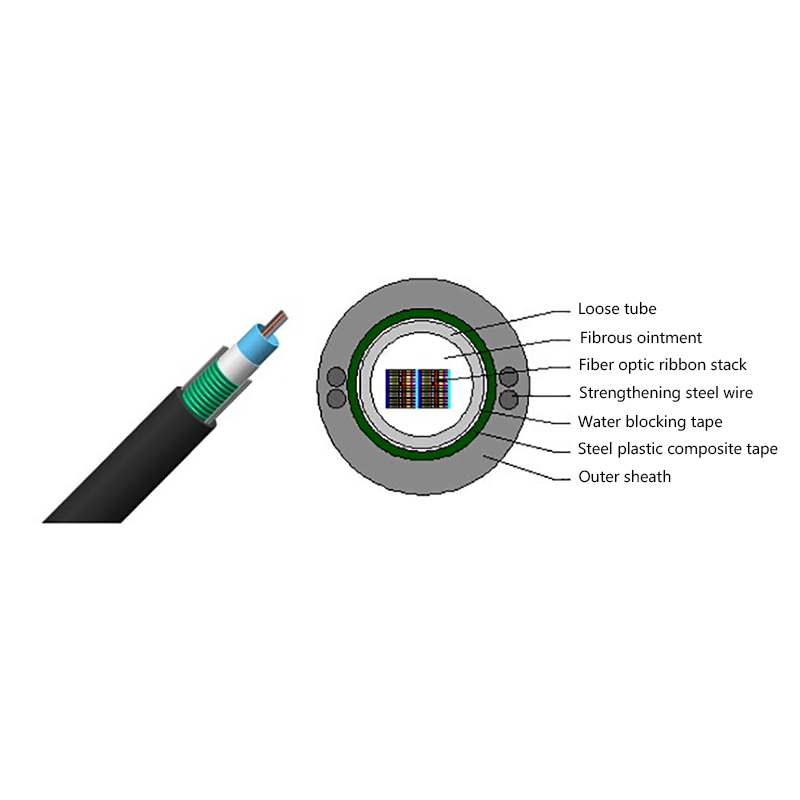
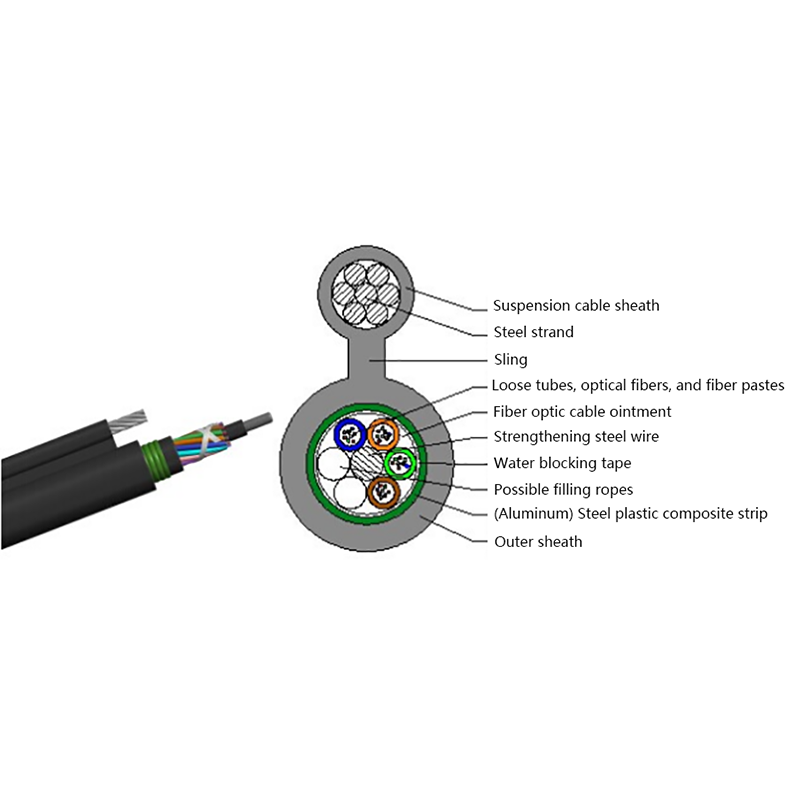
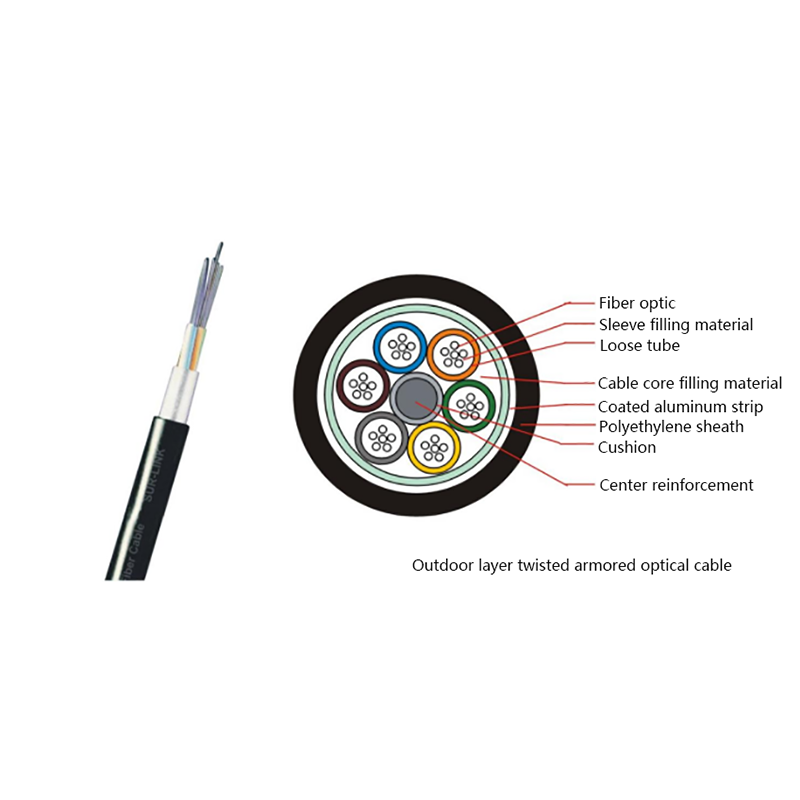
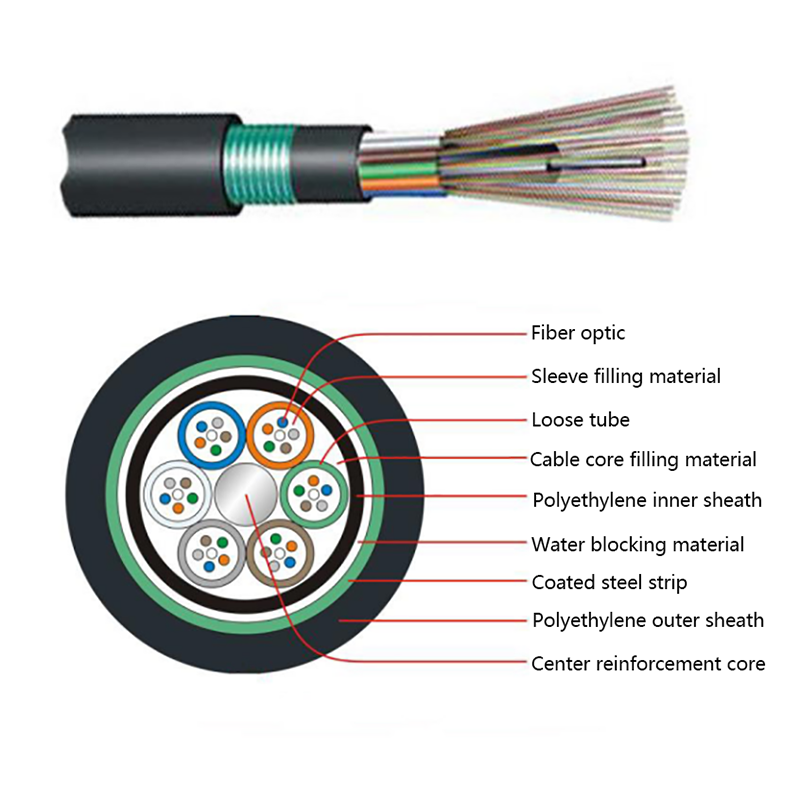
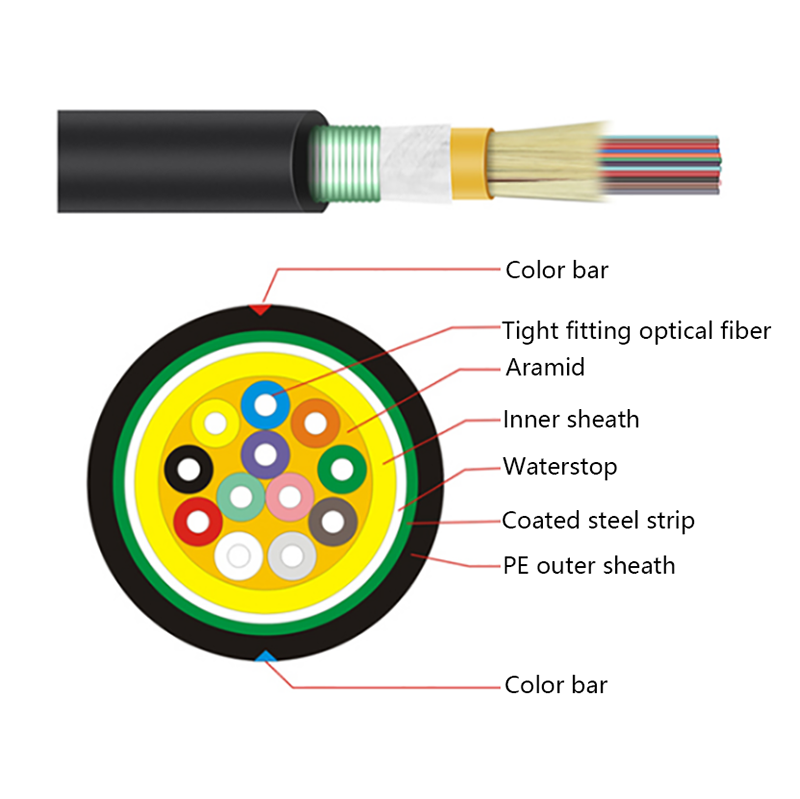
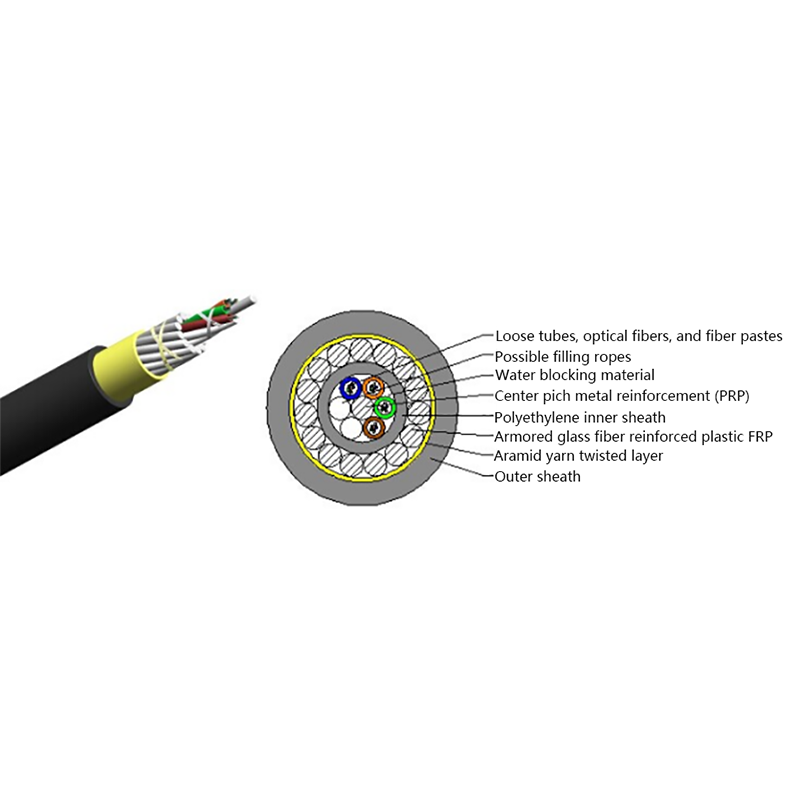
A single pair of fiber strands can carry 100 Gbps or more across tens of kilometers with the right optics. This is why fiber is the backbone of the Internet. The cable is also immune to electromagnetic interference, so it can run next to power lines, motors, and other sources of electrical noise without signal degradation. For outdoor backbone runs, a steel-tape-armored GYTS outdoor optical cable protects fibers from moisture, rodents, and crushing loads while maintaining full transmission performance.
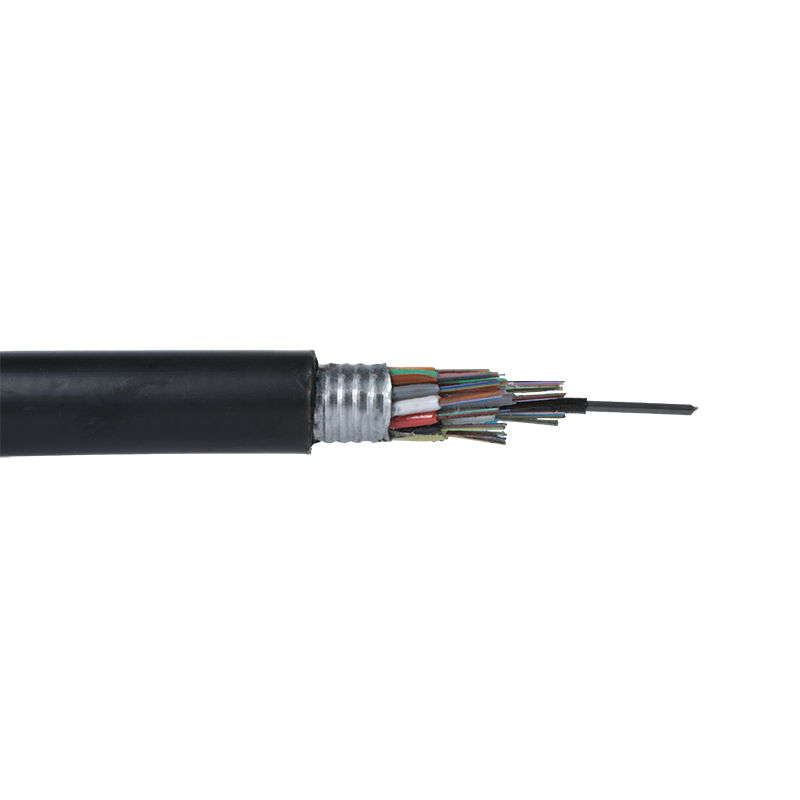 GYTS Outdoor Layer Stranded Steel-Polyethylene Bonded Sheath Optical Cables SuppJiangsu Hawell is China GYTS Outdoor Layer Stranded Steel-Polyethylene Bonded Sheath Optical Cables Suppliers and Factory, Wholesale GYTS...View Product →
The table below summarizes the practical differences that matter for network planning.
| Factor | Ethernet (Cat6a) | Fiber (Single-Mode) |
|---|---|---|
| Maximum distance | 100 m at 10 Gbps | 40+ km without repeaters |
| Bandwidth per pair | 10 Gbps typical | 100 Gbps and higher |
| EMI immunity | Low | High |
| Cable cost per meter | Low | Moderate |
| Termination cost | Low | Higher |
| Typical use | Indoor, short runs | Backbone, outdoor, long runs |
The 100-meter limit of copper Ethernet is the single biggest constraint in network design. Every time you need to go farther, you add a switch, a power source, and a potential point of failure. Fiber removes this constraint. A single-mode link can run 10, 20, or 40 kilometers without any active equipment. In a campus, a factory, or a utility right-of-way, that difference changes the entire network architecture. This is exactly why fiber dominates long-distance communication.
For bandwidth, copper has improved steadily, but every speed increase demands better cable and shorter runs. 25 Gbps and 40 Gbps over copper are niche, expensive, and severely distance-limited. Fiber scales with transceiver upgrades: the same cable can often support faster speeds simply by swapping the optics at each end. This is why fiber networks are considered future-proof.
The practical consequence is simpler network design. A factory with 12 buildings does not need 12 separate switch stacks and media converters at every boundary. One fiber ring can connect all buildings to a central core, with copper only at the edges. Fewer active devices mean lower power consumption, less cooling, and fewer possible failure points.
Copper cable is cheap. A Cat6a reel costs less than the equivalent length of outdoor fiber. But total cost includes connectors, patch panels, installation labor, and active equipment at both ends. For short indoor runs, copper wins on total cost. For outdoor or inter-building runs, fiber wins because you eliminate extra switches, surge protection, and grounding requirements.
A second hidden cost of copper appears in industrial environments: downtime from interference. Variable-frequency drives, welding equipment, and high-voltage cables can corrupt copper signals or drop links entirely. Fiber is immune to these problems, which is why industrial networks increasingly specify fiber for anything longer than a few meters.
Security is another less obvious factor. Copper cables radiate a measurable signal that can be tapped with the right equipment; fiber emits almost nothing and is far harder to intercept. For utilities, defense, and financial networks, that difference alone justifies the higher material cost.
Stay with copper Ethernet when all of the following are true: runs are under 55 meters, bandwidth requirements are 10 Gbps or less, and the environment is a normal office or data center with no heavy electromagnetic noise. Desktop computers, printers, IP phones, and Wi-Fi access points are all well served by Cat6 or Cat6a. Lower switch and interface costs make copper the pragmatic choice at the access layer.
Another reason to keep copper at the endpoint is power delivery. Power over Ethernet (PoE) lets a single cable carry data and up to 90 watts to cameras, access points, and sensors. Fiber cannot deliver standard PoE, so fiber-to-the-desk designs still need a separate power source or a media converter at the desk.
Fiber becomes the right choice as soon as you leave a single room or cross a building boundary. Inter-building links, campus backbones, industrial floors, and any route longer than 100 meters should be fiber. In these cases, the per-meter cable cost matters less than the number of switches, power supplies, and failure points you remove from the design.
For fiber-to-the-home and residential access, the decision is already settled: optical cable is the standard. An FTTH double butterfly optical cable can be routed along walls and into apartments with minimal disruption, and its parallel strengthening members add mechanical strength and simplify mid-span access. When you compare installation speed and the upgrade path to 10G PON and beyond, fiber beats copper on almost every metric.
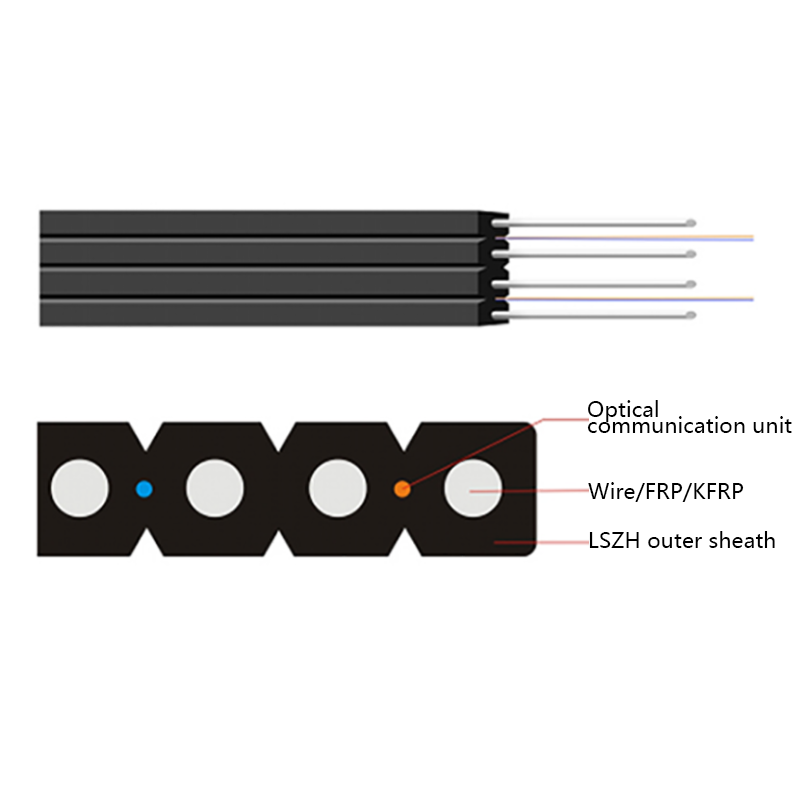 FTTH Double Butterfly Optical Cables Suppliers, Factory - Jiangsu Hawell OptoeleJiangsu Hawell is China FTTH Double Butterfly Optical Cables Suppliers and Factory, Wholesale FTTH Double Butterfly Optical Cable online,...View Product →
For data center spine links that exceed 100 meters, or where future 400 Gbps upgrades are planned, multimode or single-mode fiber is the only realistic option. Utilities also rely on fiber for substation communications and transmission line monitoring, where the electrical environment rules out copper entirely.
Most professional networks end up using both. Copper connects the wall outlet to the desktop or access point; fiber connects the wiring closet to the core, between buildings, and out to the street. This is not a compromise; it is the standard architecture in enterprise, telecom, and industrial networks. The switch closet is where copper meets fiber, and the important thing is to design both segments correctly.
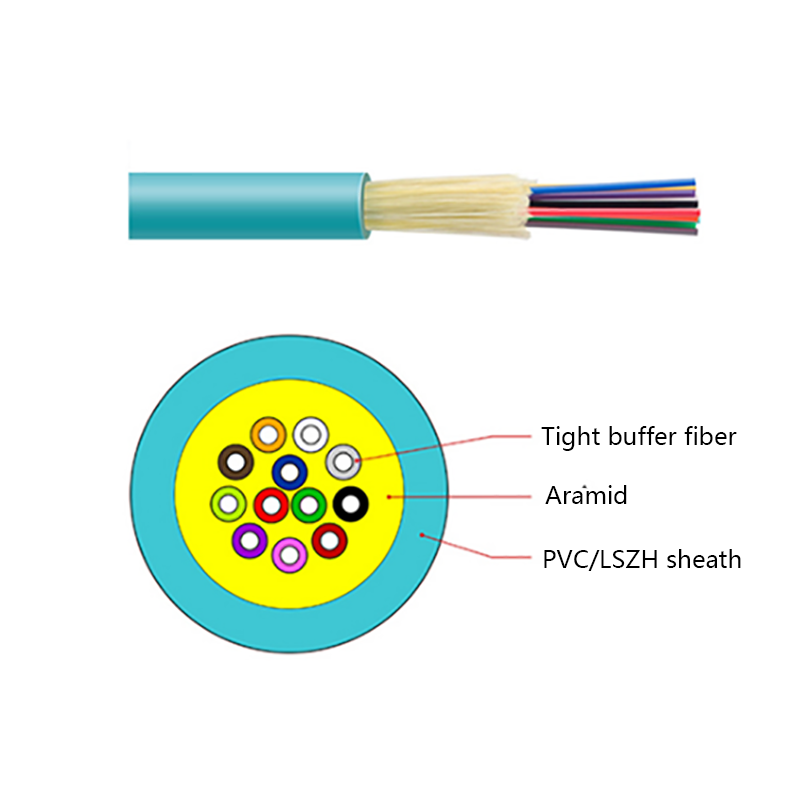
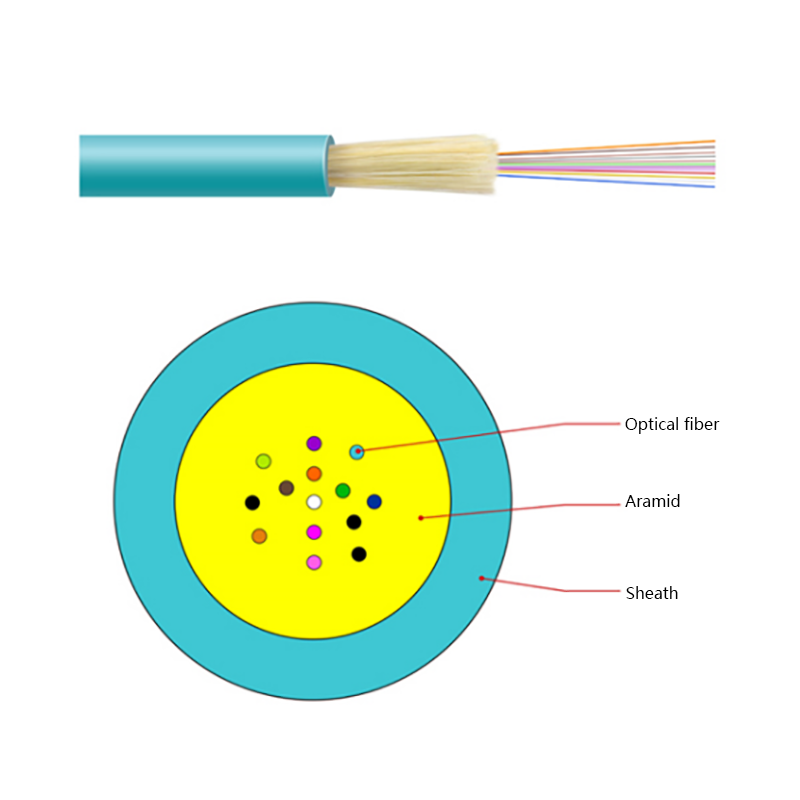
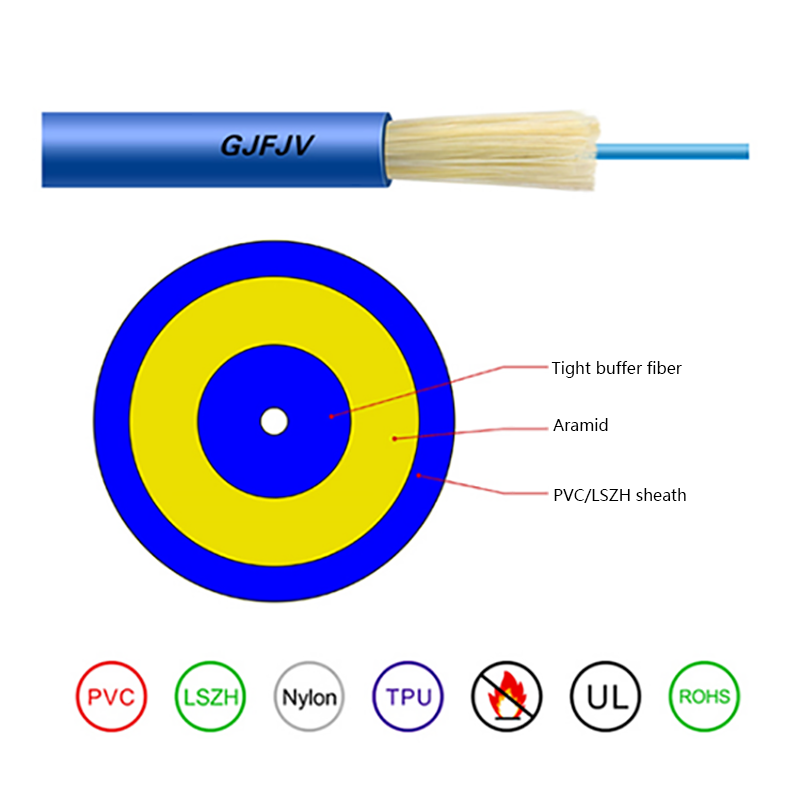
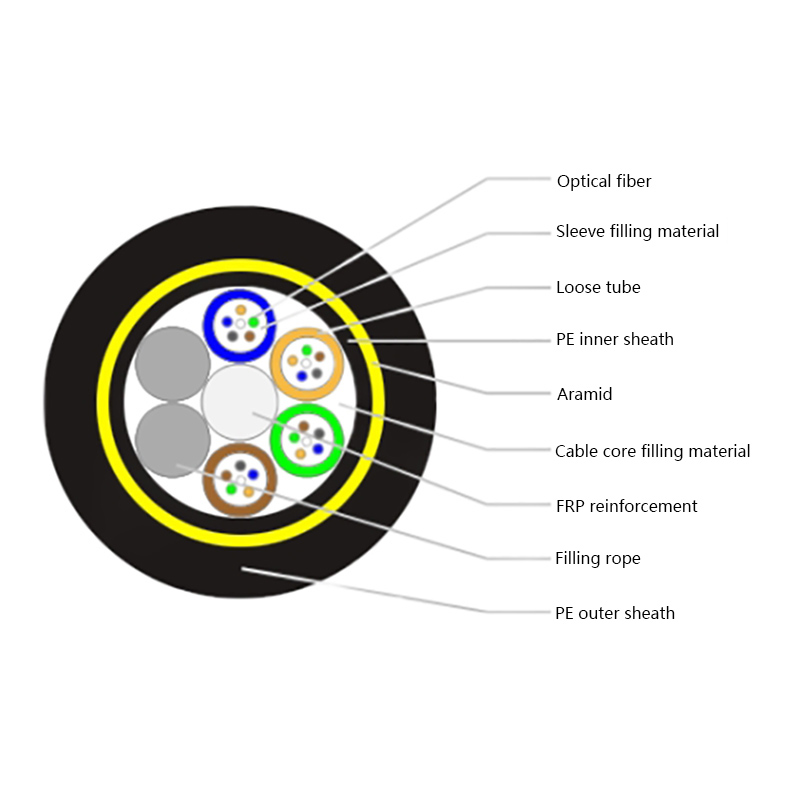
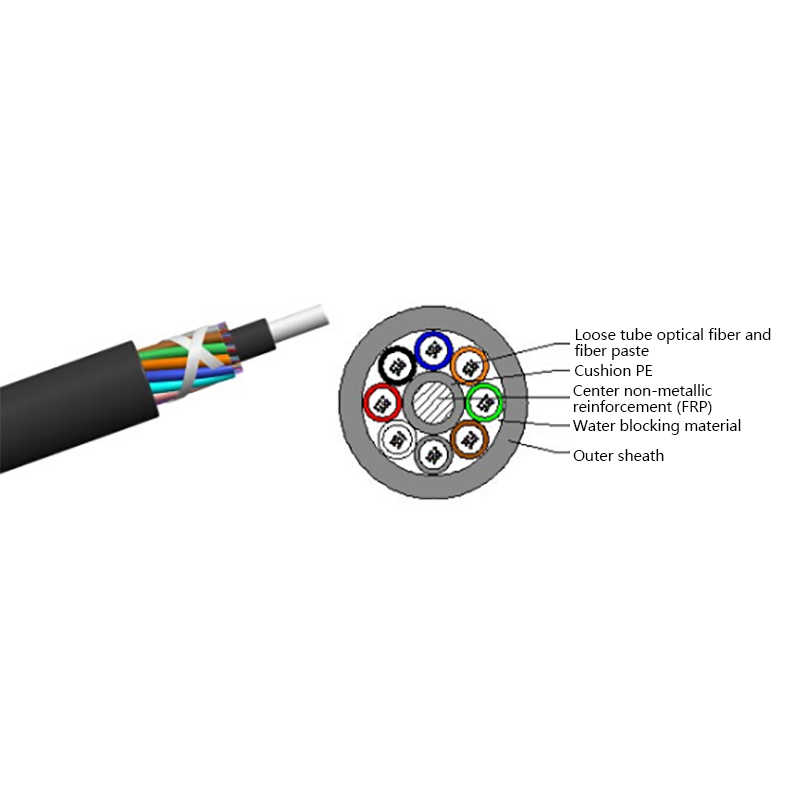
For indoor risers and horizontal segments that connect floors, an indoor tight-buffered fiber optic cable is easier to route in trays and conduits than loose-tube outdoor cable, and its fire-retardant jacket suits most building codes. Optical cable construction can also be customized: fiber count, armor type, jacket material, and strength members can all be specified to match the route conditions.
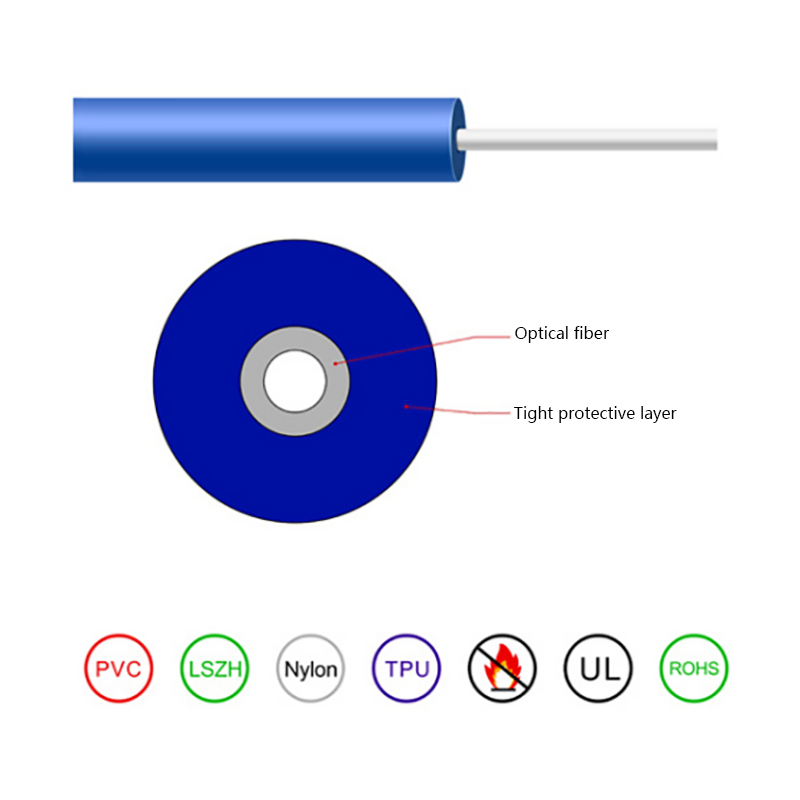 Indoor Tight-Buffered Fibre Optic Cables Suppliers, Factory - Jiangsu Hawell OptJiangsu Hawell is China Indoor Tight-Buffered Fibre Optic Cables Suppliers and Factory, Wholesale Indoor Tight-Buffered Fibre Optic Cable...View Product →
Before you finalize any design, measure the actual route rather than the straight-line distance, and check the environment along that route. A practical guide on choosing the right optical cable for your performance, distance, and environment can help you match the cable construction to the reality of the installation.
Here is a decision process we use when helping customers plan cable infrastructure:
Use copper Ethernet for runs under 55 meters inside a building, with 10 Gbps or less, in a clean electrical environment. Use fiber for anything longer, anything outdoor, anything near high-voltage equipment, and any link you expect to survive more than one technology generation.
If the routed length exceeds 80 meters, fiber removes the risk of marginal copper performance. If the route passes near power equipment, choose fiber. If both conditions are short and clean, save the budget and use Cat6a.
The choice is not permanent. Hybrid designs with fiber backbones and copper access give you the best of both worlds, and they are straightforward to upgrade over time.


Request for a call today

 Login
Custom Optical Cables Manufacturers
Login
Custom Optical Cables Manufacturers